
The highest quality audio and video, for free
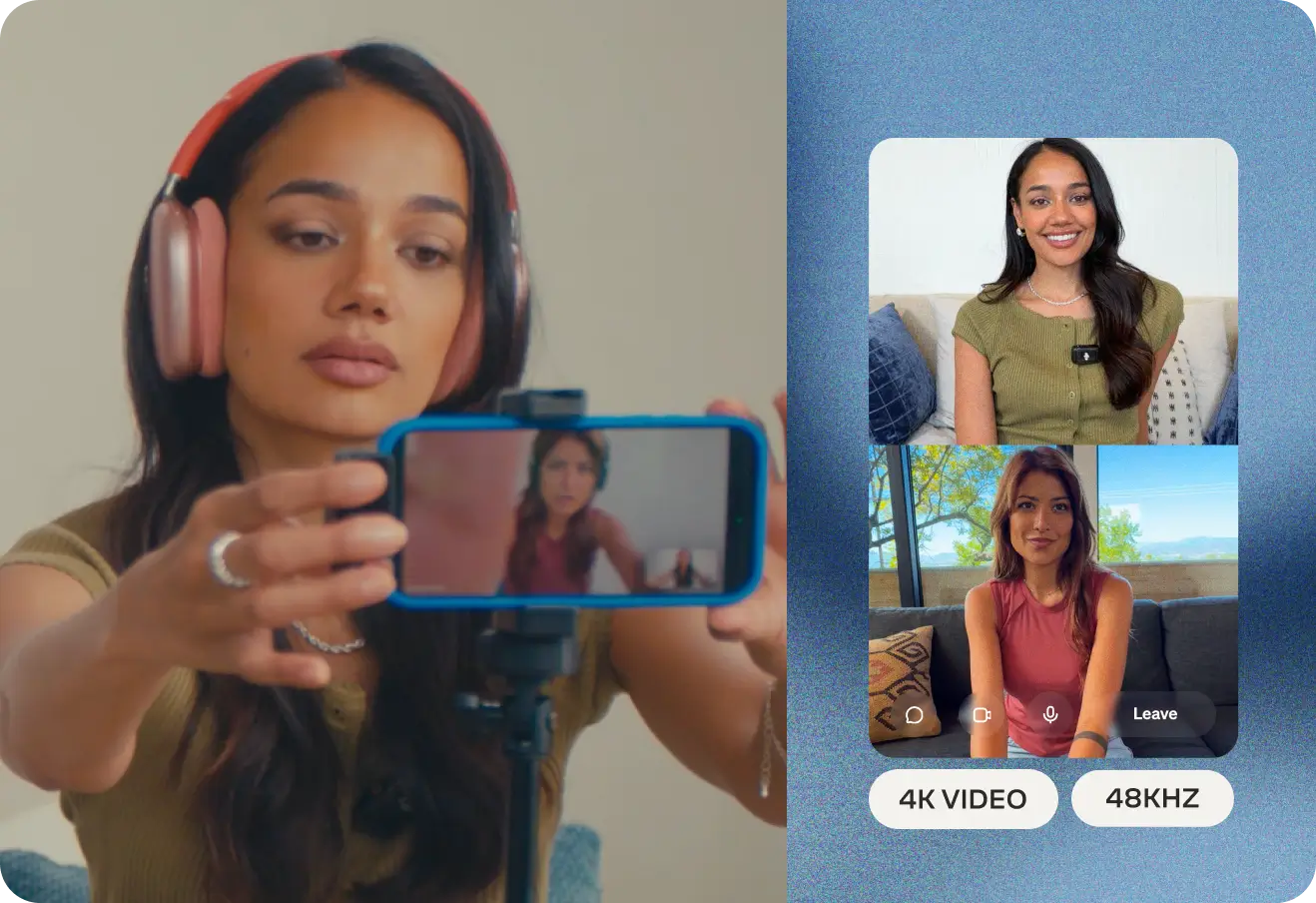
Take advantage of unlimited, high quality audio and video recording, even on our free plan. Record up to 4K video and up to 48kHz WAV and MP3 audio.

Take advantage of unlimited, high quality audio and video recording, even on our free plan. Record up to 4K video and up to 48kHz WAV and MP3 audio.
 Get started
Take advantage of unlimited, high quality audio and video recording, even on our free plan. Record up to 4K video and up to 48kHz WAV and MP3 audio.
Take advantage of unlimited, high quality audio and video recording, even on our free plan. Record up to 4K video and up to 48kHz WAV and MP3 audio.
Take advantage of unlimited, high quality audio and video recording, even on our free plan. Record up to 4K video and up to 48kHz WAV and MP3 audio.
Take advantage of unlimited, high quality audio and video recording, even on our free plan. Record up to 4K video and up to 48kHz WAV and MP3 audio.
Take advantage of unlimited, high quality audio and video recording, even on our free plan. Record up to 4K video and up to 48kHz WAV and MP3 audio.


Take advantage of unlimited, high quality audio and video recording, even on our free plan. Record up to 4K video and up to 48kHz WAV and MP3 audio.
Zencastr records locally directly on your device for reliably great audio and video, no matter the wifi connection.
.webp) Get started
Get startedZencastr records locally directly on your device for reliably great audio and video, no matter the wifi connection.
Zencastr records locally directly on your device for reliably great audio and video, no matter the wifi connection.
Zencastr records locally directly on your device for reliably great audio and video, no matter the wifi connection.
Zencastr records locally directly on your device for reliably great audio and video, no matter the wifi connection.
Zencastr records locally directly on your device for reliably great audio and video, no matter the wifi connection.
Zencastr records locally directly on your device for reliably great audio and video, no matter the wifi connection.
Every participant is recorded on their own separate track for greater editing control in post production.
.webp) Get started
Get startedEvery participant is recorded on their own separate track for greater editing control in post production.
Every participant is recorded on their own separate track for greater editing control in post production.
Every participant is recorded on their own separate track for greater editing control in post production.
Every participant is recorded on their own separate track for greater editing control in post production.
Every participant is recorded on their own separate track for greater editing control in post production.
Every participant is recorded on their own separate track for greater editing control in post production.
Invite guests, and with the click of a link, they're recording in studio-quality, too. Up to 6 participants can join a single session for free.
.webp) Get started
Get startedInvite guests, and with the click of a link, they're recording in studio-quality, too. Up to 6 participants can join a single session for free.
Invite guests, and with the click of a link, they're recording in studio-quality, too. Up to 6 participants can join a single session for free.
Invite guests, and with the click of a link, they're recording in studio-quality, too. Up to 6 participants can join a single session for free.
Invite guests, and with the click of a link, they're recording in studio-quality, too. Up to 6 participants can join a single session for free.
Invite guests, and with the click of a link, they're recording in studio-quality, too. Up to 6 participants can join a single session for free.
Invite guests, and with the click of a link, they're recording in studio-quality, too. Up to 6 participants can join a single session for free.
Turn your audio-only recordings into a video presence with visual templates and customizable avatars, so people can discover your podcast on YouTube and socials.
.webp) Get started
Get startedTurn your audio-only recordings into a video presence with visual templates and customizable avatars, so people can discover your podcast on YouTube and socials.
Turn your audio-only recordings into a video presence with visual templates and customizable avatars, so people can discover your podcast on YouTube and socials.
Turn your audio-only recordings into a video presence with visual templates and customizable avatars, so people can discover your podcast on YouTube and socials.
Turn your audio-only recordings into a video presence with visual templates and customizable avatars, so people can discover your podcast on YouTube and socials.
Turn your audio-only recordings into a video presence with visual templates and customizable avatars, so people can discover your podcast on YouTube and socials.
Turn your audio-only recordings into a video presence with visual templates and customizable avatars, so people can discover your podcast on YouTube and socials.
Your files start uploading to the cloud the moment you hit record, so they're ready as soon as your session ends. Local and cloud backup mean a crashed computer won't cost you your recording.
.webp) Get started
Get startedYour files start uploading to the cloud the moment you hit record, so they're ready as soon as your session ends. Local and cloud backup mean a crashed computer won't cost you your recording.
Your files start uploading to the cloud the moment you hit record, so they're ready as soon as your session ends. Local and cloud backup mean a crashed computer won't cost you your recording.
Your files start uploading to the cloud the moment you hit record, so they're ready as soon as your session ends. Local and cloud backup mean a crashed computer won't cost you your recording.
Your files start uploading to the cloud the moment you hit record, so they're ready as soon as your session ends. Local and cloud backup mean a crashed computer won't cost you your recording.
Your files start uploading to the cloud the moment you hit record, so they're ready as soon as your session ends. Local and cloud backup mean a crashed computer won't cost you your recording.
Your files start uploading to the cloud the moment you hit record, so they're ready as soon as your session ends. Local and cloud backup mean a crashed computer won't cost you your recording.
Connect Dropbox or Google Drive once, and every recording syncs automatically. No more manual exports.
.webp) Get started
Get startedConnect Dropbox or Google Drive once, and every recording syncs automatically. No more manual exports.
Connect Dropbox or Google Drive once, and every recording syncs automatically. No more manual exports.
Connect Dropbox or Google Drive once, and every recording syncs automatically. No more manual exports.
Connect Dropbox or Google Drive once, and every recording syncs automatically. No more manual exports.
Connect Dropbox or Google Drive once, and every recording syncs automatically. No more manual exports.
Connect Dropbox or Google Drive once, and every recording syncs automatically. No more manual exports.
Every Zencastr recording gets transcribed automatically. Already have audio or video recorded elsewhere? Upload it and get the same fast, accurate transcript.
.webp) Get started
Get startedEvery Zencastr recording gets transcribed automatically. Already have audio or video recorded elsewhere? Upload it and get the same fast, accurate transcript.
Every Zencastr recording gets transcribed automatically. Already have audio or video recorded elsewhere? Upload it and get the same fast, accurate transcript.
Every Zencastr recording gets transcribed automatically. Already have audio or video recorded elsewhere? Upload it and get the same fast, accurate transcript.
Every Zencastr recording gets transcribed automatically. Already have audio or video recorded elsewhere? Upload it and get the same fast, accurate transcript.
Every Zencastr recording gets transcribed automatically. Already have audio or video recorded elsewhere? Upload it and get the same fast, accurate transcript.
Every Zencastr recording gets transcribed automatically. Already have audio or video recorded elsewhere? Upload it and get the same fast, accurate transcript.
Record HD video and crystal-clear audio from your phone with the Zencastr iOS App. Because phones are where today’s creators create.
.webp) Get started
Get startedRecord HD video and crystal-clear audio from your phone with the Zencastr iOS App. Because phones are where today’s creators create.
Record HD video and crystal-clear audio from your phone with the Zencastr iOS App. Because phones are where today’s creators create.
Record HD video and crystal-clear audio from your phone with the Zencastr iOS App. Because phones are where today’s creators create.
Record HD video and crystal-clear audio from your phone with the Zencastr iOS App. Because phones are where today’s creators create.
Record HD video and crystal-clear audio from your phone with the Zencastr iOS App. Because phones are where today’s creators create.
Record HD video and crystal-clear audio from your phone with the Zencastr iOS App. Because phones are where today’s creators create.
Recording with a team? Invite everyone onto your account. With role-based permissions, work from one shared space instead of passing files back and forth.
.webp) Get started
Get startedRecording with a team? Invite everyone onto your account. With role-based permissions, work from one shared space instead of passing files back and forth.
Recording with a team? Invite everyone onto your account. With role-based permissions, work from one shared space instead of passing files back and forth.
Recording with a team? Invite everyone onto your account. With role-based permissions, work from one shared space instead of passing files back and forth.
Recording with a team? Invite everyone onto your account. With role-based permissions, work from one shared space instead of passing files back and forth.
Recording with a team? Invite everyone onto your account. With role-based permissions, work from one shared space instead of passing files back and forth.
Recording with a team? Invite everyone onto your account. With role-based permissions, work from one shared space instead of passing files back and forth.
Not on a computer. Zencastr runs in your browser and works in Chrome, Edge, and Brave. On iPhone or iPad, download the Zencastr app from the App Store.
Up to 6 people total can join a recording on Zencastr on the free plan.
No, your guests don’t need to have a Zencastr account. Send them a link and they join straight from it. No signup and no download required if they're on a computer.
Local recording means each person's audio and video is captured on their own device rather than over the internet connection, then uploaded to the cloud as you record. On Zoom or Meet, whatever the internet does to the stream is baked into the file — dropouts, compression, robot voice. With local recording, a bad connection affects what you hear live, but not what ends up in the final file.
Your files start uploading the moment you hit record, so anything already captured is safe. Zencastr also keeps a local copy on each participant's device and a backup copy on our servers.



