

Your best moments, clipped automatically
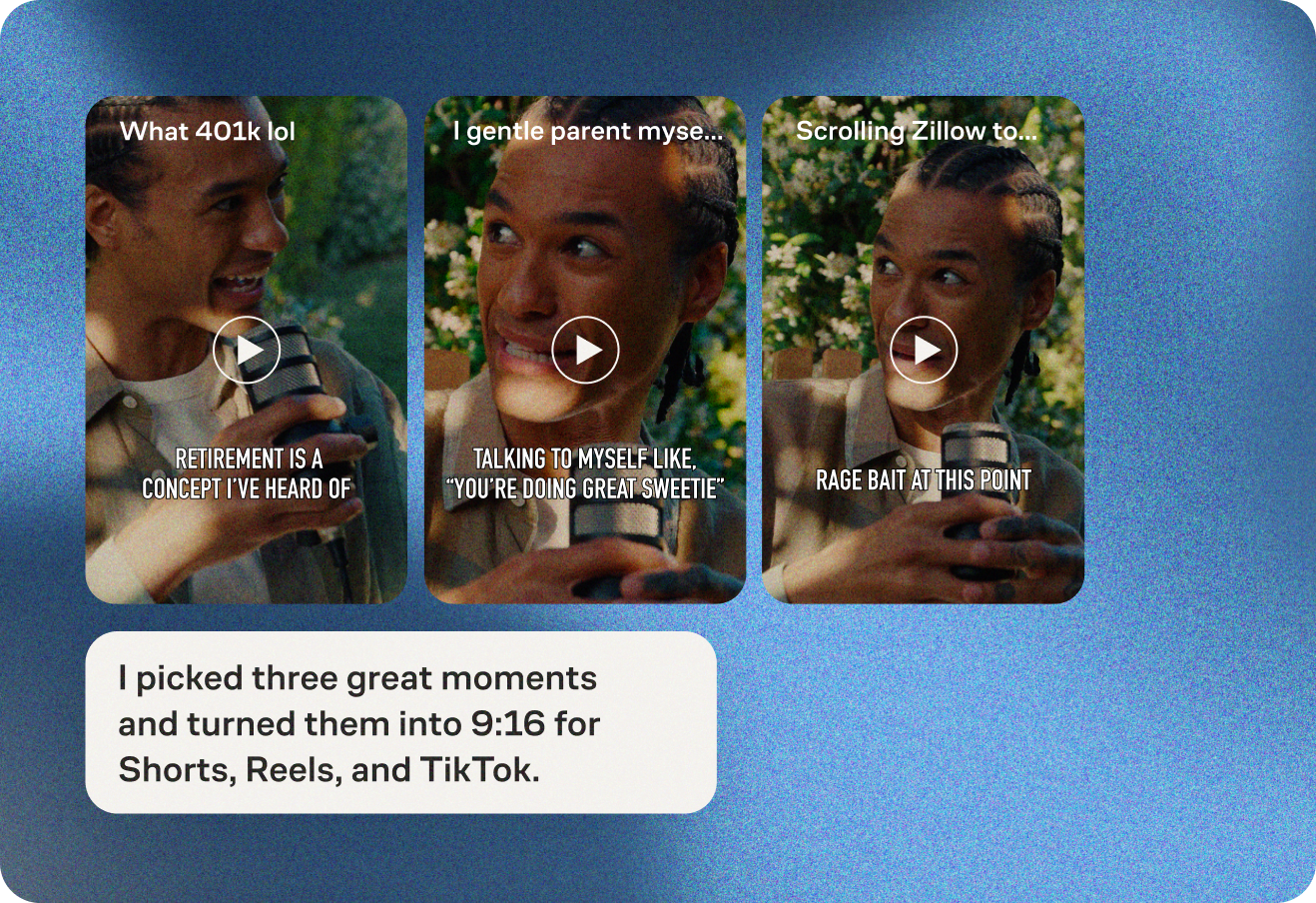
Let your Producer find your show’s most compelling moments, or tell it exactly what to clip. No more scrubbing through footage.

Let your Producer find your show’s most compelling moments, or tell it exactly what to clip. No more scrubbing through footage.
 Get started
Let your Producer find your show’s most compelling moments, or tell it exactly what to clip. No more scrubbing through footage.
Let your Producer find your show’s most compelling moments, or tell it exactly what to clip. No more scrubbing through footage.
Let your Producer find your show’s most compelling moments, or tell it exactly what to clip. No more scrubbing through footage.
Let your Producer find your show’s most compelling moments, or tell it exactly what to clip. No more scrubbing through footage.
Let your Producer find your show’s most compelling moments, or tell it exactly what to clip. No more scrubbing through footage.


Let your Producer find your show’s most compelling moments, or tell it exactly what to clip. No more scrubbing through footage.
Tell the Producer about your preferences and style and share clips you love. Your Producer will get better and better.
.png) Get started
Get startedTell the Producer about your preferences and style and share clips you love. Your Producer will get better and better.
Tell the Producer about your preferences and style and share clips you love. Your Producer will get better and better.
Tell the Producer about your preferences and style and share clips you love. Your Producer will get better and better.
Tell the Producer about your preferences and style and share clips you love. Your Producer will get better and better.
Tell the Producer about your preferences and style and share clips you love. Your Producer will get better and better.
Tell the Producer about your preferences and style and share clips you love. Your Producer will get better and better.
Your Producer adds synced and styled captions to every clip. Captioned videos get 40% more engagement on mobile.
.png) Get started
Get startedYour Producer adds synced and styled captions to every clip. Captioned videos get 40% more engagement on mobile.
Your Producer adds synced and styled captions to every clip. Captioned videos get 40% more engagement on mobile.
Your Producer adds synced and styled captions to every clip. Captioned videos get 40% more engagement on mobile.
Your Producer adds synced and styled captions to every clip. Captioned videos get 40% more engagement on mobile.
Your Producer adds synced and styled captions to every clip. Captioned videos get 40% more engagement on mobile.
Your Producer adds synced and styled captions to every clip. Captioned videos get 40% more engagement on mobile.
Your Producer can post clips directly to TikTok, Instagram, YouTube, Facebook, LinkedIn, and X. Pick your own schedule, or let your Producer space out posts.
.png) Get started
Get startedYour Producer can post clips directly to TikTok, Instagram, YouTube, Facebook, LinkedIn, and X. Pick your own schedule, or let your Producer space out posts.
Your Producer can post clips directly to TikTok, Instagram, YouTube, Facebook, LinkedIn, and X. Pick your own schedule, or let your Producer space out posts.
Your Producer can post clips directly to TikTok, Instagram, YouTube, Facebook, LinkedIn, and X. Pick your own schedule, or let your Producer space out posts.
Your Producer can post clips directly to TikTok, Instagram, YouTube, Facebook, LinkedIn, and X. Pick your own schedule, or let your Producer space out posts.
Your Producer can post clips directly to TikTok, Instagram, YouTube, Facebook, LinkedIn, and X. Pick your own schedule, or let your Producer space out posts.
Your Producer can post clips directly to TikTok, Instagram, YouTube, Facebook, LinkedIn, and X. Pick your own schedule, or let your Producer space out posts.
Your Producer can add a post-roll image and link to the end of every clip, pointing viewers to your podcast, brand, or website.
.png) Get started
Get startedYour Producer can add a post-roll image and link to the end of every clip, pointing viewers to your podcast, brand, or website.
Your Producer can add a post-roll image and link to the end of every clip, pointing viewers to your podcast, brand, or website.
Your Producer can add a post-roll image and link to the end of every clip, pointing viewers to your podcast, brand, or website.
Your Producer can add a post-roll image and link to the end of every clip, pointing viewers to your podcast, brand, or website.
Your Producer can add a post-roll image and link to the end of every clip, pointing viewers to your podcast, brand, or website.
Your Producer can add a post-roll image and link to the end of every clip, pointing viewers to your podcast, brand, or website.
Get an individual link for every clip for sharing. Embed a player on your own site, or let your Producer package clips into a dedicated video podcast for Apple Podcasts via Video RSS.
.png) Get started
Get startedGet an individual link for every clip for sharing. Embed a player on your own site, or let your Producer package clips into a dedicated video podcast for Apple Podcasts via Video RSS.
Get an individual link for every clip for sharing. Embed a player on your own site, or let your Producer package clips into a dedicated video podcast for Apple Podcasts via Video RSS.
Get an individual link for every clip for sharing. Embed a player on your own site, or let your Producer package clips into a dedicated video podcast for Apple Podcasts via Video RSS.
Get an individual link for every clip for sharing. Embed a player on your own site, or let your Producer package clips into a dedicated video podcast for Apple Podcasts via Video RSS.
Get an individual link for every clip for sharing. Embed a player on your own site, or let your Producer package clips into a dedicated video podcast for Apple Podcasts via Video RSS.
Get an individual link for every clip for sharing. Embed a player on your own site, or let your Producer package clips into a dedicated video podcast for Apple Podcasts via Video RSS.
Managing clips for multiple shows or brands? Invite your team, set up separate settings for each show, and everyone can post to the right accounts automatically.
.png) Get started
Get startedManaging clips for multiple shows or brands? Invite your team, set up separate settings for each show, and everyone can post to the right accounts automatically.
Managing clips for multiple shows or brands? Invite your team, set up separate settings for each show, and everyone can post to the right accounts automatically.
Managing clips for multiple shows or brands? Invite your team, set up separate settings for each show, and everyone can post to the right accounts automatically.
Managing clips for multiple shows or brands? Invite your team, set up separate settings for each show, and everyone can post to the right accounts automatically.
Managing clips for multiple shows or brands? Invite your team, set up separate settings for each show, and everyone can post to the right accounts automatically.
Managing clips for multiple shows or brands? Invite your team, set up separate settings for each show, and everyone can post to the right accounts automatically.
Clipping is currently available on the Grow plan or higher. All of our plans offer free 14-day trials for new users and existing users who have not previously trialed that plan.
Yes, you can clip videos you recorded on Zencastr or upload your own videos for clipping.
Clipping currently works for videos in English, French, German, Spanish, and Portuguese.
No, there are no limits on the number of videos you can clip. When you clip a video, a specific number of postproduction credits are deducted, with the length of the input video being the starting point for the credit deduction. Our plans come with a fixed number of credits per month, and you can buy additional credits as needed.
AI analyzes a variety of data sources to identify trending content and similarities within your video. To discover highlights, it also evaluates the unique requirements of various social platforms to optimize your clips for them not only in terms of format, but also content. Additionally, it incorporates the information provided in your clip profile to find the best moments within your video. Using these insights, it creates engaging, coherent clips optimized for titles and captions that capture attention. It packages these clips into social media posts with eye-catching titles, ready to be posted.
Clipping currently works best for videos with substantial spoken content, for example, video podcasts, interviews, speeches, tutorials, etc.



