

Edit audio and video in plain language
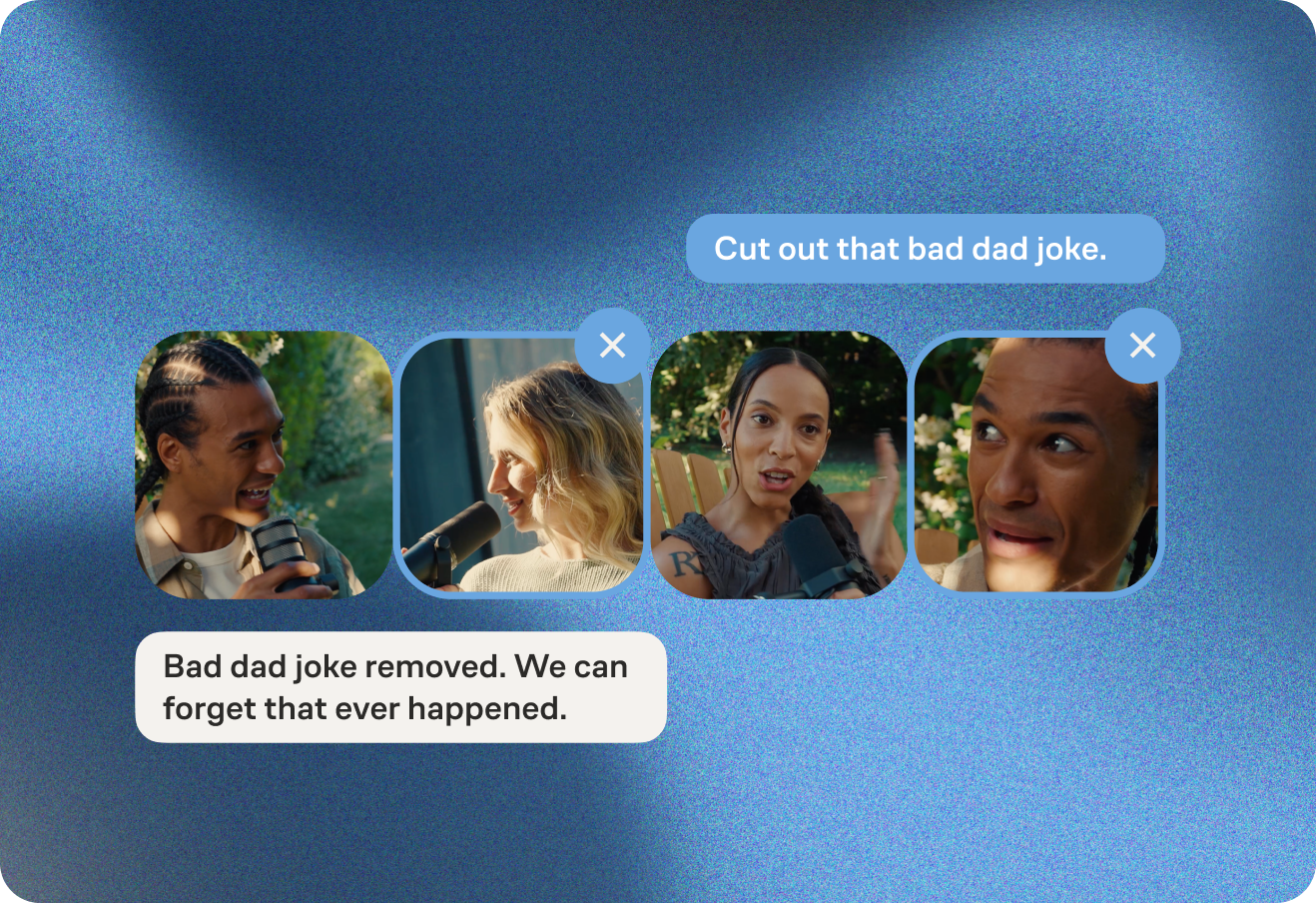
Make audio and video edits in a chat-based interface – just ask your Producer for the changes you want.

Make audio and video edits in a chat-based interface – just ask your Producer for the changes you want.
 get started
Make audio and video edits in a chat-based interface – just ask your Producer for the changes you want.
Make audio and video edits in a chat-based interface – just ask your Producer for the changes you want.
Make audio and video edits in a chat-based interface – just ask your Producer for the changes you want.
Make audio and video edits in a chat-based interface – just ask your Producer for the changes you want.
Make audio and video edits in a chat-based interface – just ask your Producer for the changes you want.


Make audio and video edits in a chat-based interface – just ask your Producer for the changes you want.
Your Producer cleans up every recording, removing background noise, balancing levels, and more. Ask for any fine-tuning you need.
.png) get started
get startedYour Producer cleans up every recording, removing background noise, balancing levels, and more. Ask for any fine-tuning you need.
Your Producer cleans up every recording, removing background noise, balancing levels, and more. Ask for any fine-tuning you need.
Your Producer cleans up every recording, removing background noise, balancing levels, and more. Ask for any fine-tuning you need.
Your Producer cleans up every recording, removing background noise, balancing levels, and more. Ask for any fine-tuning you need.
Your Producer cleans up every recording, removing background noise, balancing levels, and more. Ask for any fine-tuning you need.
Your Producer cleans up every recording, removing background noise, balancing levels, and more. Ask for any fine-tuning you need.
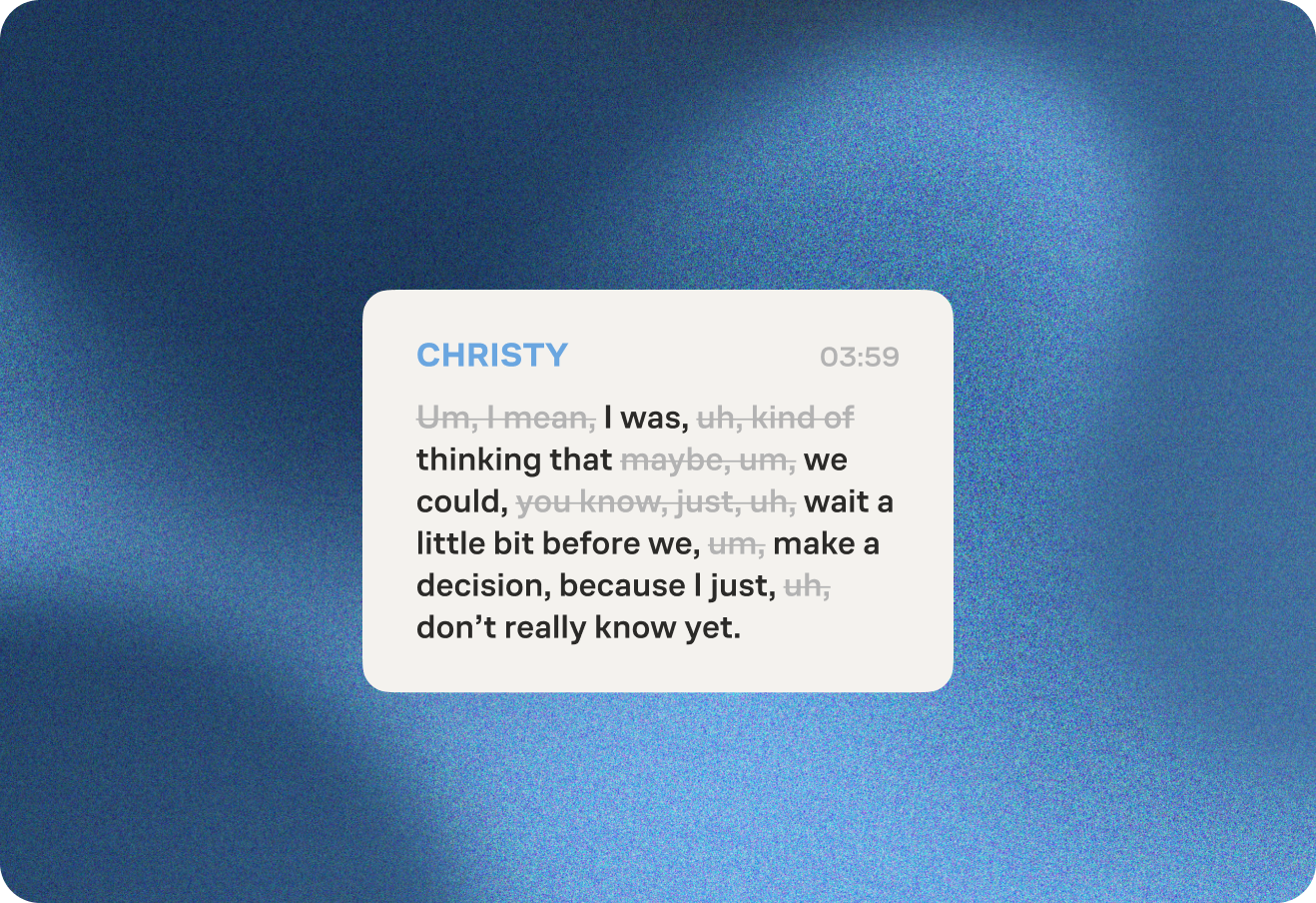
Your Producer cuts filler words and repeated phrases. Want more or less trimmed? Just let your Producer know.
 get started
Your Producer cuts filler words and repeated phrases. Want more or less trimmed? Just let your Producer know.
Your Producer cuts filler words and repeated phrases. Want more or less trimmed? Just let your Producer know.
Your Producer cuts filler words and repeated phrases. Want more or less trimmed? Just let your Producer know.
Your Producer cuts filler words and repeated phrases. Want more or less trimmed? Just let your Producer know.
Your Producer cuts filler words and repeated phrases. Want more or less trimmed? Just let your Producer know.
Your Producer cuts filler words and repeated phrases. Want more or less trimmed? Just let your Producer know.
Your Producer cuts long pauses and dead air. If you want a longer or shorter threshold, work with your Producer on pacing.
.png) Get Started
Get StartedYour Producer cuts long pauses and dead air. If you want a longer or shorter threshold, work with your Producer on pacing.
Your Producer cuts long pauses and dead air. If you want a longer or shorter threshold, work with your Producer on pacing.
Your Producer cuts long pauses and dead air. If you want a longer or shorter threshold, work with your Producer on pacing.
Your Producer cuts long pauses and dead air. If you want a longer or shorter threshold, work with your Producer on pacing.
Your Producer cuts long pauses and dead air. If you want a longer or shorter threshold, work with your Producer on pacing.
Your Producer cuts long pauses and dead air. If you want a longer or shorter threshold, work with your Producer on pacing.
Your Producer automatically spotlights whoever's speaking, with smooth transitions between participants. No manual camera movement or switching.
.png) Get started
Get startedYour Producer automatically spotlights whoever's speaking, with smooth transitions between participants. No manual camera movement or switching.
Your Producer automatically spotlights whoever's speaking, with smooth transitions between participants. No manual camera movement or switching.
Your Producer automatically spotlights whoever's speaking, with smooth transitions between participants. No manual camera movement or switching.
Your Producer automatically spotlights whoever's speaking, with smooth transitions between participants. No manual camera movement or switching.
Your Producer automatically spotlights whoever's speaking, with smooth transitions between participants. No manual camera movement or switching.
Your Producer automatically spotlights whoever's speaking, with smooth transitions between participants. No manual camera movement or switching.
Pick a template, upload your own art, or describe the look you want. Your Producer applies it: cover art, titles, captions, backdrops, and your logo.
.png) Get started
Get startedPick a template, upload your own art, or describe the look you want. Your Producer applies it: cover art, titles, captions, backdrops, and your logo.
Pick a template, upload your own art, or describe the look you want. Your Producer applies it: cover art, titles, captions, backdrops, and your logo.
Pick a template, upload your own art, or describe the look you want. Your Producer applies it: cover art, titles, captions, backdrops, and your logo.
Pick a template, upload your own art, or describe the look you want. Your Producer applies it: cover art, titles, captions, backdrops, and your logo.
Pick a template, upload your own art, or describe the look you want. Your Producer applies it: cover art, titles, captions, backdrops, and your logo.
Pick a template, upload your own art, or describe the look you want. Your Producer applies it: cover art, titles, captions, backdrops, and your logo.
Our AI helps with your content organization by instantly creating and naming chapter markers. Edit or remove chapters to your liking. Final chapters integrate into your transcript with time markers for enhanced navigation.
.png) Get started
Get startedOur AI helps with your content organization by instantly creating and naming chapter markers. Edit or remove chapters to your liking. Final chapters integrate into your transcript with time markers for enhanced navigation.
Our AI helps with your content organization by instantly creating and naming chapter markers. Edit or remove chapters to your liking. Final chapters integrate into your transcript with time markers for enhanced navigation.
Our AI helps with your content organization by instantly creating and naming chapter markers. Edit or remove chapters to your liking. Final chapters integrate into your transcript with time markers for enhanced navigation.
Our AI helps with your content organization by instantly creating and naming chapter markers. Edit or remove chapters to your liking. Final chapters integrate into your transcript with time markers for enhanced navigation.
Our AI helps with your content organization by instantly creating and naming chapter markers. Edit or remove chapters to your liking. Final chapters integrate into your transcript with time markers for enhanced navigation.
Our AI helps with your content organization by instantly creating and naming chapter markers. Edit or remove chapters to your liking. Final chapters integrate into your transcript with time markers for enhanced navigation.
Your Producer writes a summary of your episode with guest info, key links, and timestamps that’s ready to publish alongside your recording.
.png) Get started
Get startedYour Producer writes a summary of your episode with guest info, key links, and timestamps that’s ready to publish alongside your recording.
Your Producer writes a summary of your episode with guest info, key links, and timestamps that’s ready to publish alongside your recording.
Your Producer writes a summary of your episode with guest info, key links, and timestamps that’s ready to publish alongside your recording.
Your Producer writes a summary of your episode with guest info, key links, and timestamps that’s ready to publish alongside your recording.
Your Producer writes a summary of your episode with guest info, key links, and timestamps that’s ready to publish alongside your recording.
Your Producer writes a summary of your episode with guest info, key links, and timestamps that’s ready to publish alongside your recording.
Let your Producer find the best moments, or tell it what you want clipped — either way, you get captioned clips ready for every platform.
.png) Get started
Get startedLet your Producer find the best moments, or tell it what you want clipped — either way, you get captioned clips ready for every platform.
Let your Producer find the best moments, or tell it what you want clipped — either way, you get captioned clips ready for every platform.
Let your Producer find the best moments, or tell it what you want clipped — either way, you get captioned clips ready for every platform.
Let your Producer find the best moments, or tell it what you want clipped — either way, you get captioned clips ready for every platform.
Let your Producer find the best moments, or tell it what you want clipped — either way, you get captioned clips ready for every platform.
Let your Producer find the best moments, or tell it what you want clipped — either way, you get captioned clips ready for every platform.
Zencastr's AI-powered postproduction simplifies your editing process by automating enhancements that typically require manual effort in other editing software. It combines separate audio tracks into a single file while applying leveling, noise reduction, and loudness normalization for superior sound quality. For video recordings, we offer a variety of layouts with customizable options for individual video adjustments, backgrounds, and logos. Additionally, AI-powered smart filters eliminate extended pauses and common filler words, refining your final product. With text-based editing, you can easily edit your audio and video within the transcript, making editing as simple as updating a document. This streamlined process allows creators to spend more time on content creation and less on meticulous editing tasks.
If you're already editing content in another audio or video software, Zencastr’s Enhanced Separate Tracks feature can benefit your process. Enhanced Separate Tracks apply essential audio enhancements, including leveling, noise reduction, and loudness normalization, to the individual audio files for each participant. These enhanced individual audio tracks serve as an ideal starting point for additional editing in external software, expediting your editing process by giving you a higher-quality audio foundation to start with.
Transcripts are automatically generated for all Zencastr recordings done in English, French, German, Spanish, and Portuguese, and can be obtained for uploaded content in these languages. Since text-based editing relies on the transcript, it is available for these supported languages. For recordings in other languages, you can still benefit from Zencastr’s powerful postproduction features, including audio enhancements, AI-powered smart filters, and video layouts and customization, ensuring your content is polished and saving you significant manual editing time.
Editing operates on postproduction credits. When enhancing your content with Editing, credits are deducted, with each credit being equivalent to one hour of overall recording time processed. All plans include a fixed number of credits per month. The number of recurring available credits available on a specific plan is listed here. Should you require more credits beyond the plan’s monthly allocation, additional credits can be purchased as needed.
Yes, with the Editing feature, you can easily format video content for various platforms by adjusting the aspect ratio. Aspect ratio determines a video's orientation and shape and plays a crucial role in optimal display across different platforms. Zencastr offers three aspect ratios: 16:9 for a horizontal landscape orientation, 9:16 for a vertical portrait orientation, and 1:1 for a square format. This ability to select the aspect ratio, and even tailor videos with different aspect ratios in one postproduction run allows you to optimize your video content to suit different platforms.



