A wireless podcast microphone should fit how you record, not simply offer the longest feature list. For Indian creators, useful options include the DJI Mic 3 for expandable recording, RØDE Wireless PRO for interview workflows, Hollyland LARK M2 for lightweight capture, and RØDE Wireless Micro for mobile recording. This shortlist matches their documented capabilities to practical podcasting needs rather than treating one model as best for everyone.
Which Wireless Podcast Microphone Is Best for Your Setup?
The best choice depends on your recording device, speaker count, and need for backup recordings. Start with DJI Mic 3 if you need more than two transmitters, consider RØDE Wireless PRO if included lavaliers and timecode matter, and shortlist LARK M2 or Wireless Micro for simpler portable setups. These are feature-based recommendations, not a claim that every microphone has been tested side by side.
Before choosing, picture an actual episode. Are you interviewing a founder in Bengaluru, recording a Hindi conversation at home, or producing a travel podcast between locations? Write down the device you will use and whether guests will sit beside you or join remotely.
| Recording priority | Model to consider | Important trade-off |
|---|---|---|
| Expandable, multi-speaker recording | DJI Mic 3 | Confirm how your device captures its output channels |
| Interviews with external lavaliers | RØDE Wireless PRO | More accessories and settings to manage |
| Lightweight, discreet capture | Hollyland LARK M2 | No internal recording |
| Straightforward phone recording | RØDE Wireless Micro | No onboard backup recording |
The channel-routing and backup differences matter more than a headline range figure. DJI documents different output behaviour across recording modes, while RØDE and Hollyland identify which models include onboard recording. Check those details before assuming every speaker will arrive as an independently editable track.
Four Wireless Microphones Worth Shortlisting
DJI Mic 3: For Expandable Podcast Production
DJI Mic 3 supports up to four transmitters and offers dual-file, 32-bit float internal recording. That makes it a sensible candidate for creators planning panel conversations or wanting recordings stored on the transmitters alongside their main capture. Its timecode support is also relevant when coordinating audio with video equipment.
The important buying question is how those microphones reach your recording device. DJI explains that, with more than two transmitters, certain output modes combine transmitters into left and right channels. Do not assume that connecting one receiver to a camera automatically gives you four separate tracks; verify the mode, connection, and editing workflow first.
Choose it if: your show may grow beyond a host-and-guest format, and you are prepared to learn the routing settings. For a solo desk podcast, consider whether you need that expansion before committing to the system.
RØDE Wireless PRO: For Interview-focused Workflows
RØDE Wireless PRO combines two transmitters, 32-bit float onboard recording, timecode, locking microphone connectors, and included lavaliers. It supports mobile devices, computers, and cameras. Those features make it worth considering when you want one interview kit to serve several recording environments.
The included lavaliers give you an alternative to wearing the transmitter itself in view. Locking connectors are useful when an interview includes movement, while timecode offers a synchronisation option for compatible video workflows. Treat these as production tools you should learn before an important shoot, rather than settings to discover during the interview.
Choose it if: your shortlist prioritises external lavaliers, onboard backups, and video-production features. If you only need quick phone recordings, compare its workflow with a simpler mobile kit before buying.
Hollyland LARK M2: For Lightweight Location Recording
The Hollyland LARK M2 uses small, nine-gram transmitters and comes in mobile, camera, and combination configurations. Hollyland specifies 24-bit, 48 kHz audio and offers USB-C and Lightning mobile versions. Its compact form makes it a candidate for creators who want a portable mic without a prominent transmitter on clothing.
The main limitation is the absence of internal recording. If your phone or camera fails to capture the incoming audio, there is no transmitter recording to retrieve. For important interviews, make a separate backup plan rather than relying solely on the wireless connection.
Choose it if: small transmitters and a device-specific kit suit your workflow. Check the exact package carefully: a mobile version and a camera version should not be treated as interchangeable purchases.
RØDE Wireless Micro: For Mobile-first Creators
RØDE lists Wireless Micro as a mobile-compatible, two-transmitter system with GainAssist and an included charging case. It does not offer onboard recording or a 3.5 mm microphone input. That positions it as a simpler option to consider for phone-led conversations rather than an accessory-heavy interview rig.
For a creator recording short conversations, simplicity may be more useful than advanced synchronisation features. However, the absence of onboard recording deserves attention before a long or difficult-to-repeat interview. Confirm the connector and package match your phone, then test the complete recording app workflow before taking it out.
Choose it if: your phone is your main recorder and you value a compact setup. Look elsewhere if transmitter backups or external lavalier inputs are essential.
Is a Bluetooth Microphone the Same as a Wireless Mic?
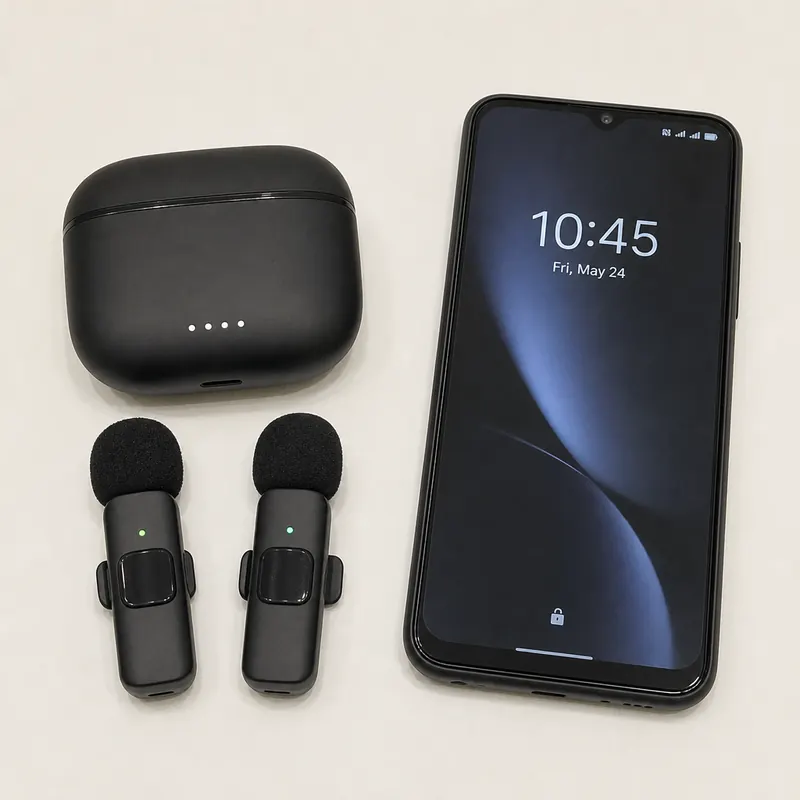
Not necessarily. A wireless mic can communicate with a dedicated receiver, while a Bluetooth microphone connects through Bluetooth where the device and app support it. Some systems offer both approaches, but their available features can change with the connection method.
DJI Mic 2 illustrates why this distinction matters: DJI states that direct smartphone Bluetooth use does not support internal recording or intelligent noise cancelling, and native-camera recording is not supported through that connection. Compatibility depends on supported third-party apps. Do not transfer those limitations automatically to other models, but do check each manufacturer's documentation.
Before buying, ask for confirmation using your exact phone, operating system, and recording app. Then record and play back a sample with the intended connection. A successful pairing notification is not enough evidence that your podcast microphone is the source being captured.
Build Your Podcast Equipment Around the Recording
For an India-based purchase, request a written list of what is included and how warranty support will be handled. Ask about the receiver type, adapters, replacement windscreens, return conditions, and service arrangements. Avoid assuming that similarly named listings contain identical accessories.
Use this checklist before committing:
- Identify every connection: write down the phone, camera, or laptop model and the cable or adapter needed.
- Count speakers: distinguish between the number of transmitters supported and the number of separately recorded tracks.
- Plan backups: decide whether onboard recording is essential for interviews you cannot repeat.
- Test the full session: rehearse recording, monitoring, file transfer, and charging rather than checking only microphone pairing.
- Budget for the kit: include headphones, windscreens, adapters, and storage in your buying decision.
For a home recording, schedule a test when traffic, ceiling fans, and household activity resemble your intended session. For a location interview, request a quiet corner and leave time to reposition the microphone. These are practical checks to make before deciding that another equipment purchase is necessary.
Keep the microphone close to the speaker without allowing clothing or jewellery to rub against it. RØDE's placement guidance specifically warns about clothing rustle and gusts of air. With a kurta, dupatta, shirt collar, or jacket, test the actual outfit while turning and gesturing, not just while sitting still.
Connect Your Microphone to a Remote Recording Workflow
Zencastr is a browser-based studio for remote podcast recording that provides separate high-quality tracks for each participant. It records each person locally on their device and uploads the recordings, giving you individual files for editing rather than only a combined conversation.
Separate participant tracks are not the same as separate microphones connected to one receiver. If two people share one computer and a mixed microphone input, do not assume the recording platform can separate them later. Check the receiver's routing and record a rehearsal before inviting your guest.
Choose the microphone around your device and recording format, then validate the entire workflow with a short pilot. When you are ready to bring remote guests into the conversation, explore Zencastr and record your next podcast.