The best podcast mic in India depends on where you record, how many people speak, and whether you need a desk setup or a portable kit. Our shortlist starts with USB/XLR options such as the Audio-Technica ATR2100x-USB and Samson Q2U, then covers premium desk microphones and wireless interview equipment. Use these picks to match your microphone to your show rather than paying for features you will rarely use.
Which Podcast Microphone Should You Choose in India?
For a first solo podcast, our recommendation is a USB/XLR dynamic microphone: it connects directly to a computer now and can connect to an audio interface later. Shortlist the ATR2100x-USB or Q2U for that approach, the Shure MV7+ for additional digital voice controls, and the RØDE Wireless PRO when your interviews need freedom of movement. These are recommendations based on documented features and intended workflows, not a hands-on sound-quality ranking.
Before buying, imagine a normal episode. You might be recording a Hindi interview from a bedroom, a Tamil business show from an office, or an English-language conversation with a guest in another city. Make the purchase fit that routine, not an ideal studio you may build someday.
Prices below are the manufacturers’ US list prices in US dollars, shown for comparison. Prices, stock, and included accessories at Indian sellers vary, so recheck the exact model, delivery charges, and seller terms before ordering.
1. Audio-Technica ATR2100x-USB: A Practical First Podcast Mic
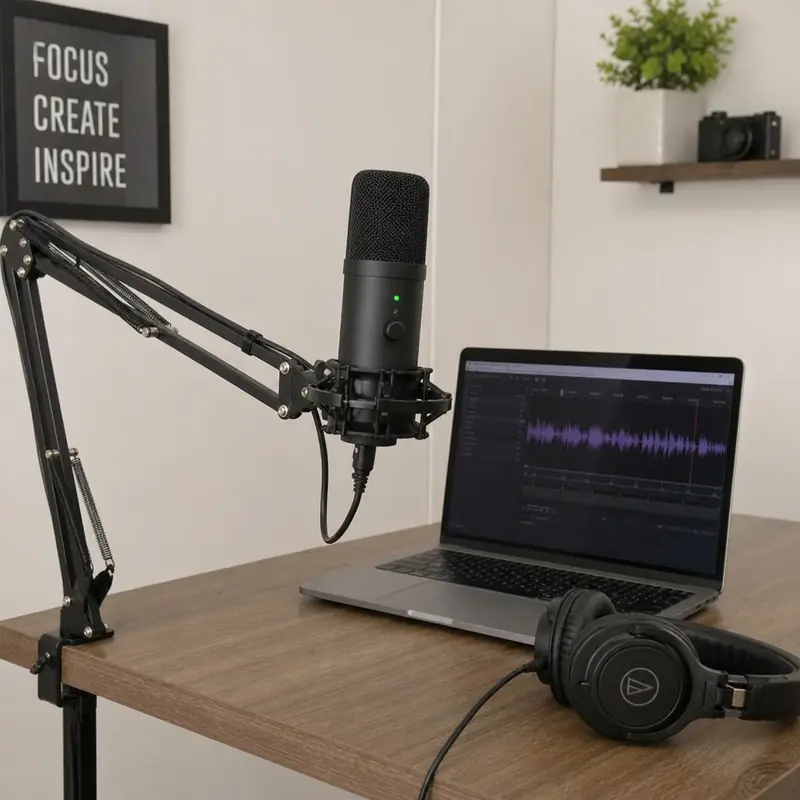
The ATR2100x-USB is a sensible starting point for creators who want straightforward connectivity without closing off future upgrades. It combines a cardioid dynamic capsule, USB-C and XLR outputs, and a headphone jack with volume control. Audio-Technica also lists a tripod desk stand and USB and XLR cables among its accessories.
For a solo show, connect it over USB and monitor through headphones. If you later build an in-person interview setup, its XLR connection lets you retain the microphone while adding an interface or mixer. That upgrade path is its main practical advantage: you can expand the setup without replacing every component.
Price: $79, Audio-Technica’s US list price. Confirm availability with an Indian seller before paying.
Buying advice: Compare the complete package, not just the microphone price. The included stand may suit an initial desk setup; consider a different mount only if your trial recordings show that positioning is awkward. Avoid purchasing extra accessories before you know what your recording space actually needs.
2. Samson Q2U: A Starter Package With Room to Grow
The Samson Q2U offers a similar USB/XLR approach, with a cardioid dynamic capsule and direct headphone monitoring. Samson lists a desktop tripod, microphone clip, windscreen, USB cable, and XLR cable in the package. That makes it worth comparing when you want to assemble a usable first setup with fewer separate purchases.
Its USB connection suits computer-based recording, while XLR supports a later move to a mixer or interface. The headphone output lets you hear the microphone directly without the delay associated with software monitoring. For a beginner, listening while recording is a useful habit to establish from episode one.
Price: $99.99, Samson’s US list price. Treat this as a comparison point, since Indian seller prices vary.
Buying advice: Request a photograph or clear specification of the actual unit's USB connector. Check that the supplied cable works with your laptop, and compare the seller's return terms before choosing between this and the ATR2100x-USB. Pick the package that solves your immediate setup needs most cleanly.
3. RØDE PodMic USB: A Flexible Mic for a Regular Desk Setup
The PodMic USB suits creators who want one microphone for computer recording and a future XLR-based setup. RØDE specifies a dynamic cardioid design, USB-C and XLR connectivity, onboard APHEX processing, and a headphone output with zero-latency monitoring. It also supports compatible iOS and Android devices, making it an option beyond a permanent computer desk.
For a weekly interview show, that flexibility can be more useful than a long list of recording specifications. Start with USB if you record alone, then consider XLR when you need multiple microphones connected through suitable equipment. Check device and cable compatibility before planning a mobile recording session.
Price: $209, RØDE’s US list price. Stock at Indian sellers can be patchy, so do not mistake a displayed price for confirmed availability.
Buying advice: Confirm that you are ordering the PodMic USB, not a differently equipped PodMic model. Ask the seller to confirm the exact box contents, then choose a stand or arm that supports the microphone securely in your intended position.
4. Shure MV7+: A Premium Pick for Digital Voice Controls
The Shure MV7+ is our premium pick for creators who value recording assistance alongside USB-C and XLR connectivity. Its digital features include Auto Level Mode, a real-time denoiser, and the Digital Popper Stopper. Shure also provides a headphone jack and configuration through its MOTIV Mix desktop app.
Those controls make it worth considering if you want help managing voice levels and common distractions during computer-based recording. Think of them as tools to audition, not reasons to skip a sound check. Record a short sample with your normal speaking voice, then listen before committing to a full interview.
Price: from $299, Shure’s US list price for the microphone alone. Colour and bundle choices change the amount.
Buying advice: Decide whether the digital controls justify the additional spend for your show. If you mainly want a straightforward USB podcast mic, compare the simpler options first. Also check which features apply to your chosen connection rather than assuming every USB processing feature carries over to an XLR workflow.
5. Audio-Technica AT2020USB-X: A Condenser for a Quiet Room
The AT2020USB-X belongs on the shortlist for creators considering a USB condenser microphone. Its documented features include a cardioid pickup pattern, USB-C output, headphone monitoring, a mix control, and a mute control. Audio-Technica includes a desk stand and USB connection accessories.
Consider it for a quiet, controlled recording space. Do not choose it automatically for every bedroom studio. RØDE's microphone guidance distinguishes condensers' detailed capture from dynamics' suitability for rooms with unwanted noise. Let room conditions and placement guide this choice. Neither microphone type is universally better.
Price: $169, Audio-Technica’s US list price.
Buying advice: Ask Indian sellers for a quote on the exact AT2020USB-X model. Similar-looking names are not enough: confirm the suffix, accessories, and warranty terms on the invoice.
If possible, audition it in your actual room. Include a normal introduction, a louder laugh, and a short pause in the sample. Judge the whole recording, including the silence between sentences, before deciding whether it suits your show.
6. RØDE Wireless PRO: A Portable Choice for Moving Interviews
The RØDE Wireless PRO is our pick for creators whose interview format needs mobility rather than a microphone fixed to a desk. It is a dual-channel wireless system with support for cameras, smartphones, and computers. Its transmitters also offer onboard recording, giving it a different role from a conventional desktop USB microphone.
A wireless podcast microphone is worth considering for location interviews, event coverage, or conversations where visible desk equipment would get in the way. Before buying, sketch how the host and guest will move, where the receiver will connect, and how you will monitor the session. Choose portability because the format needs it, not simply because wireless looks convenient.
A particularly useful feature is 32-bit float onboard recording. This applies to recordings stored on the transmitters; do not assume that every recording made through the receiver has that same format. Plan how you will retrieve and edit those onboard files before your first important interview.
Price: $299, RØDE’s US list price for the complete kit.
Buying advice: Ask Indian sellers to quote the complete kit, not a replacement transmitter. Confirm receiver connections, included accessories, charging arrangements, and the steps needed to preserve separate speaker recordings.
Which Setup Is Best for Your Interview Format?
The best mic for interviews is the one that fits how the conversation is captured. For remote interviews, give each participant a USB microphone. For seated, in-person conversations, consider individual XLR microphones connected through suitable multi-input equipment. For moving interviews, consider a dual-channel wireless system. This advice follows the connection options of the microphones above. It is not a claim that one format always sounds better.
Use this shortlist to narrow your shopping:
Solo episodes and remote guests
- Start by comparing: ATR2100x-USB, Q2U
- Decide before purchasing: Cable compatibility and included accessories
Regular desk-based production
- Start by comparing: PodMic USB, MV7+
- Decide before purchasing: Whether digital controls justify the spend
Quiet-room narration
- Start by comparing: AT2020USB-X
- Decide before purchasing: How the microphone sounds in your room
Interviews with movement
- Start by comparing: Wireless PRO
- Decide before purchasing: Receiver connection and backup workflow
For an in-person show, plan the complete recording path before buying two microphones. Ask how each voice will reach the recording software and whether you can preserve separate tracks. Do not assume that two USB purchases alone settle those questions.
Check the Room and Total Budget Before Checkout
Build a complete shopping list rather than spending the entire budget on the microphone. Include headphones, mounting, cables, and any interface your chosen workflow requires. Ask the seller for an itemised total so you can compare complete setups rather than headline discounts.
Before placing the order, work through this checklist:
- Confirm the model: Match the full name and suffix across the listing, box, and invoice.
- Confirm the connection: Identify the exact port and cable needed for your laptop, phone, camera, or interface.
- Confirm the package: Check whether the stand, windscreen, receiver, and necessary cables are included.
- Confirm support: Request written warranty, replacement, and service terms for your purchase in India.
- Plan a room test: Record where episodes will actually happen, with your normal seating and equipment.
Treat room preparation as part of the setup, too. Consider curtains, rugs, and other soft furnishings, and experiment with microphone placement before buying another device. RØDE's podcast guidance stresses both room conditions and microphone choice. A more expensive microphone is not a substitute for checking the recording environment.
Put Your Microphone to Work With Zencastr
For remote conversations, pair your microphone with a recording workflow designed for separate participants. Zencastr records each participant locally on their own device and provides separate tracks, giving you more control when editing individual voices. Guests on computers can join through an invitation link without creating an account.
Before your first full episode, run a short rehearsal. Ask your guest to select the intended microphone, listen to a sample together, and check that everyone understands the recording process. Keep the first test simple; you can refine the setup after hearing an actual conversation.
Try Zencastr and record a short pilot with your chosen microphone. Start with a setup you can use confidently, then let your episodes, not equipment envy, guide the next upgrade.